One car is easy to keep track of. Four cars, four drivers and four different service schedules is a part-time job nobody signed up for.
Picture a family with four very different cars: a big Ford Expedition, an electric Mustang Mach-E, a VW GTI and a Jeep Wrangler. Each one has its own rhythm. The Expedition wants an oil change every few thousand miles; the Mach-E doesn't need oil at all but still needs its tires rotated and filters changed; the GTI has a recall letter sitting somewhere in a drawer.
The information existed — in the dealer's app for some cars, in a pile of paper receipts for others, in somebody's memory for the rest. What didn't exist was one place that answered the only question that matters: what does each car need next, and when?
Where car maintenance actually falls apart
"Miles or months?"
Most service is "every 7,500 miles or 6 months, whichever comes first." Nobody can do that maths in their head for four cars at once, so it doesn't get done.
Receipts go missing
The last tire rotation was… sometime in spring? Without the receipt there's no date and no mileage, so you guess — and guess wrong.
Nobody's watching costs
What did the family actually spend on cars this year? Which one is quietly costing the most? Without a log, there's no way to know.
What Garage does
Garage is a private web app that installs on a phone like any other app. It holds every car, every service and every reminder, and does the arithmetic so nobody else has to.
Every car, at a glance
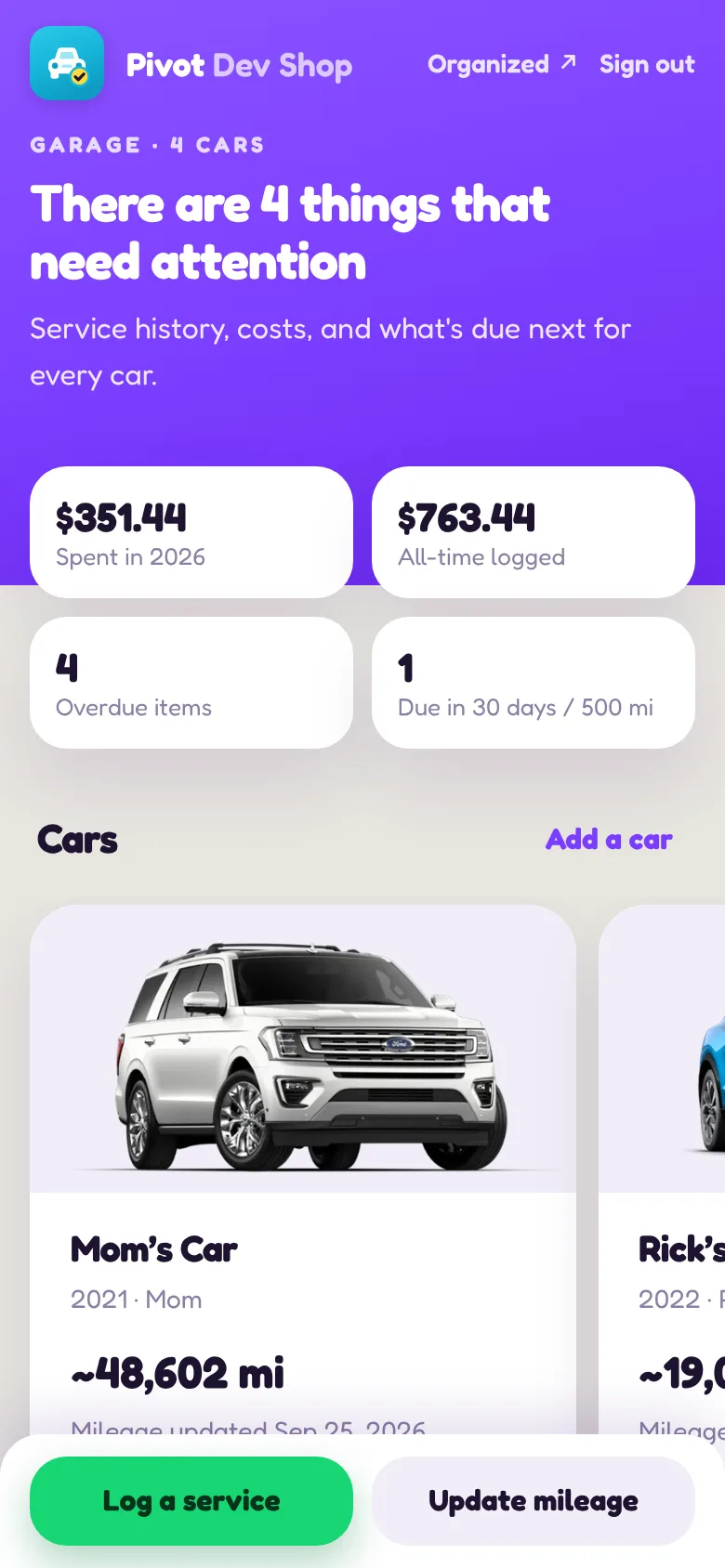
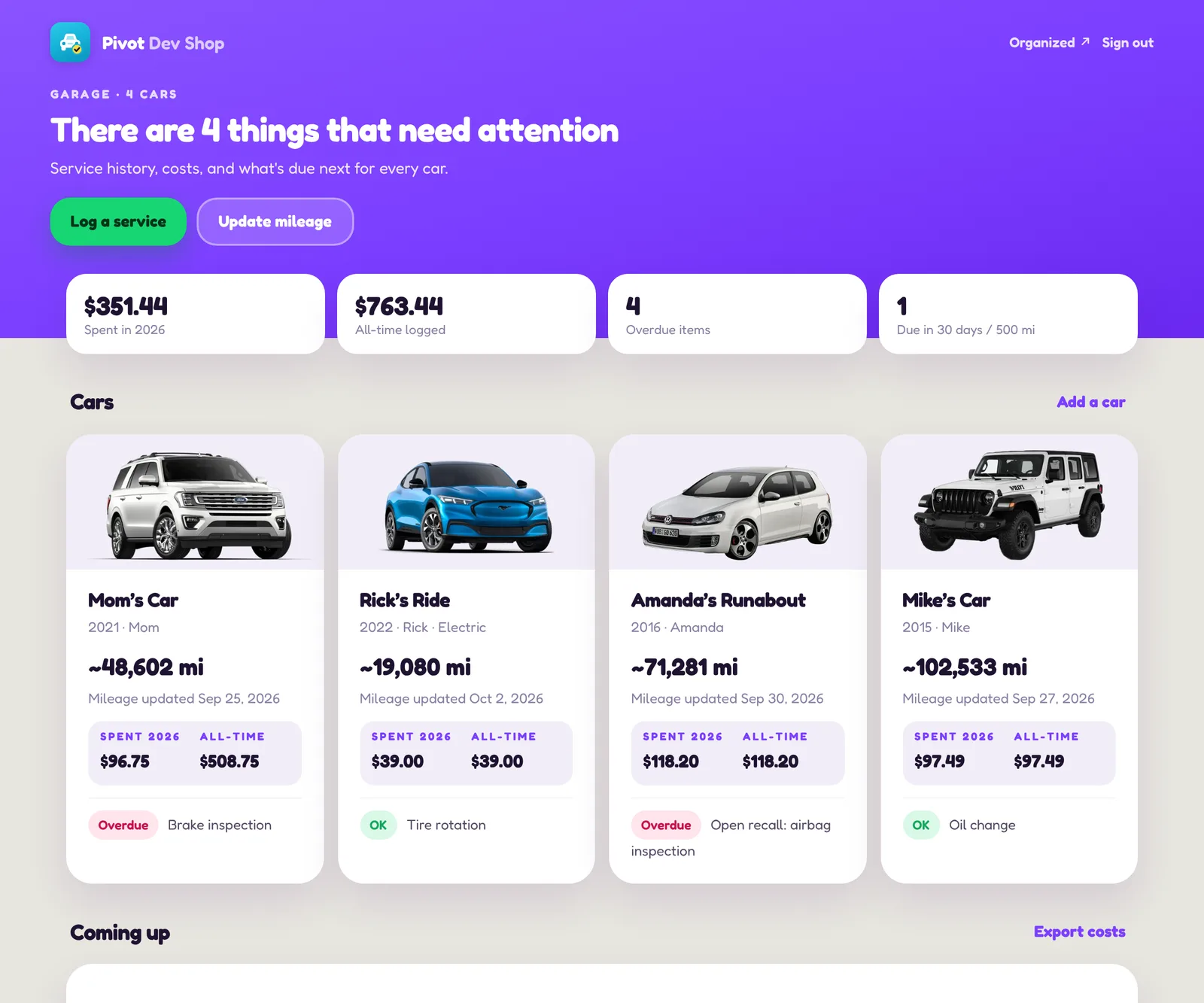
Each car gets a card with its photo, current mileage, what's been spent this year and all-time, and the one thing that needs attention most. The top of the screen says it plainly — "Everything's on track", or how many things need attention.
Reminders that understand "whichever comes first"
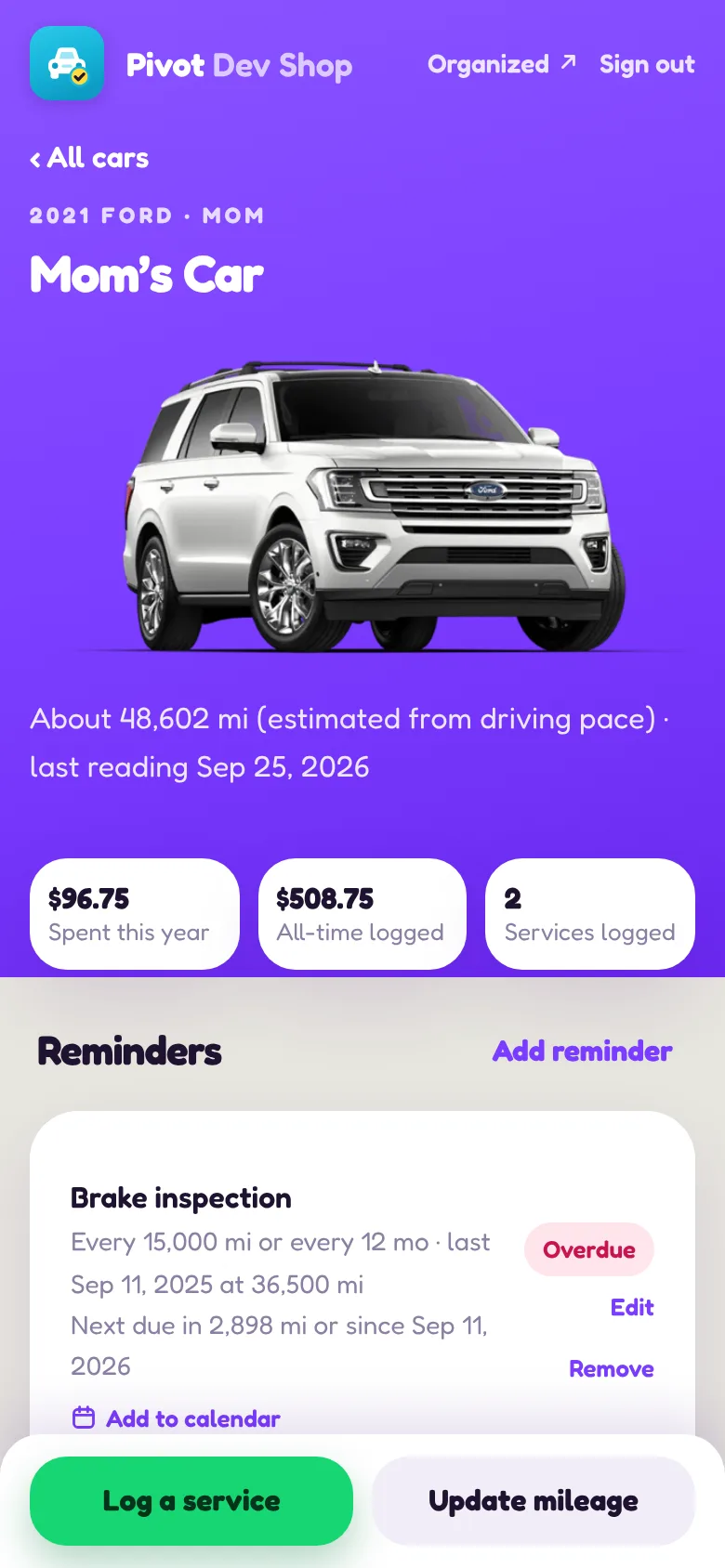
Each reminder is a rule like "tire rotation every 7,500 miles or 6 months." Garage works out the next due date from the last time it was done — and because it knows how much each car is actually driven, it can estimate the date a mileage-based service will land, not just the mileage.
Snap the receipt, skip the typing
After a service, take a photo of the receipt. AI reads it — the shop, the date, the mileage, the total and which jobs were done — and fills in the service record for you to check and save.
A morning email before anything slips
Every morning Garage checks every car. If something is overdue, or due within 30 days or 500 miles, it sends one tidy email per car with everything that car needs — not a flood of separate alerts. Items that haven't changed repeat weekly, not daily, so the email stays worth reading.
Into the calendar in one tap
Any reminder can go straight into Apple, Google or Outlook calendar. Garage remembers it's been added, and resets once the service is logged.
The real app, with an example family
These are screenshots of the actual Garage app, filled with an example family — Mom’s Car, Rick’s Ride, Amanda’s Runabout and Mike’s Car — and made-up mileage and receipts, so none of our own information is on show.
From a prototype to a real app in a long weekend
Garage started life as a quick prototype built in a conversation with Claude — a single page that proved the idea was useful. The real version was built with Claude Code: the same look and features, moved onto proper hosting with a real database, sign-in, security rules and the morning alert email.
Private by default. Only the people on an approved list can sign in, and the database refuses everyone else — the app isn't just hiding a login button.
No app store. It's a web app that installs to the home screen, so a fix is live on every phone within minutes instead of waiting for a store review.
It connects to Organized. When a car service receipt arrives in the post and gets scanned into Organized, it's added to the right car in Garage automatically.
The best maintenance app is the one that tells you before you'd have remembered.
Got a problem that needs to turn?
Garage started as one family's headache. If yours is a business headache, we build those too.
Start a project Next: how Organized tames the mail pile