Every house has the pile. On the kitchen counter, on the corner of the desk, in a drawer that doesn't quite close any more.
It's the mail. A bill that looks like junk. A check tucked inside a letter from the dentist. A permission slip due Friday. An insurance renewal that's probably fine. Each piece takes thirty seconds to deal with — and so none of them get dealt with, and the pile grows.
Then a bill goes unpaid because nobody opened it. A check goes missing because it was thrown out with the envelope. And the whole house feels a little less under control than it should. The paperwork isn't hard. It's that there's always more of it, and it's nobody's job.
What the pile actually costs
Bills that don't get paid
Not because the money isn't there — because the envelope was under three catalogues. Late fees are the tax on a messy counter.
Checks that go missing
Refunds and rebates arrive as paper, folded inside letters that look like they can be thrown away. Some of them are.
Nothing can be found
When you need last year's tax form or the warranty for the dishwasher, it's somewhere. Finding it is an afternoon.
How Organized works
The only habit it asks for is the one that takes ten seconds: scan the mail when it arrives. Everything after that is the app's job.
Scan it, then forget it
Open the mail and run it through the scanner, or take a photo. It lands in an Inbox folder in the household's own cloud storage. The paper can go straight in the recycling — or the shredder.
AI reads every page
Once a week (or whenever someone taps Process now) Organized reads each new document with AI and pulls out the important parts: who it's from, the date, what kind of document it is, any amounts, who in the house it's about, and anything that needs doing.
Filed where you'd look for it
Each document is renamed in plain English and moved into a tidy folder by category and year — Bills & Utilities, Insurance, Medical, School & Kids, Taxes and so on. Scan the same page twice and it's spotted as a duplicate. Nothing is ever deleted; files are only moved and renamed.
Bills become reminders
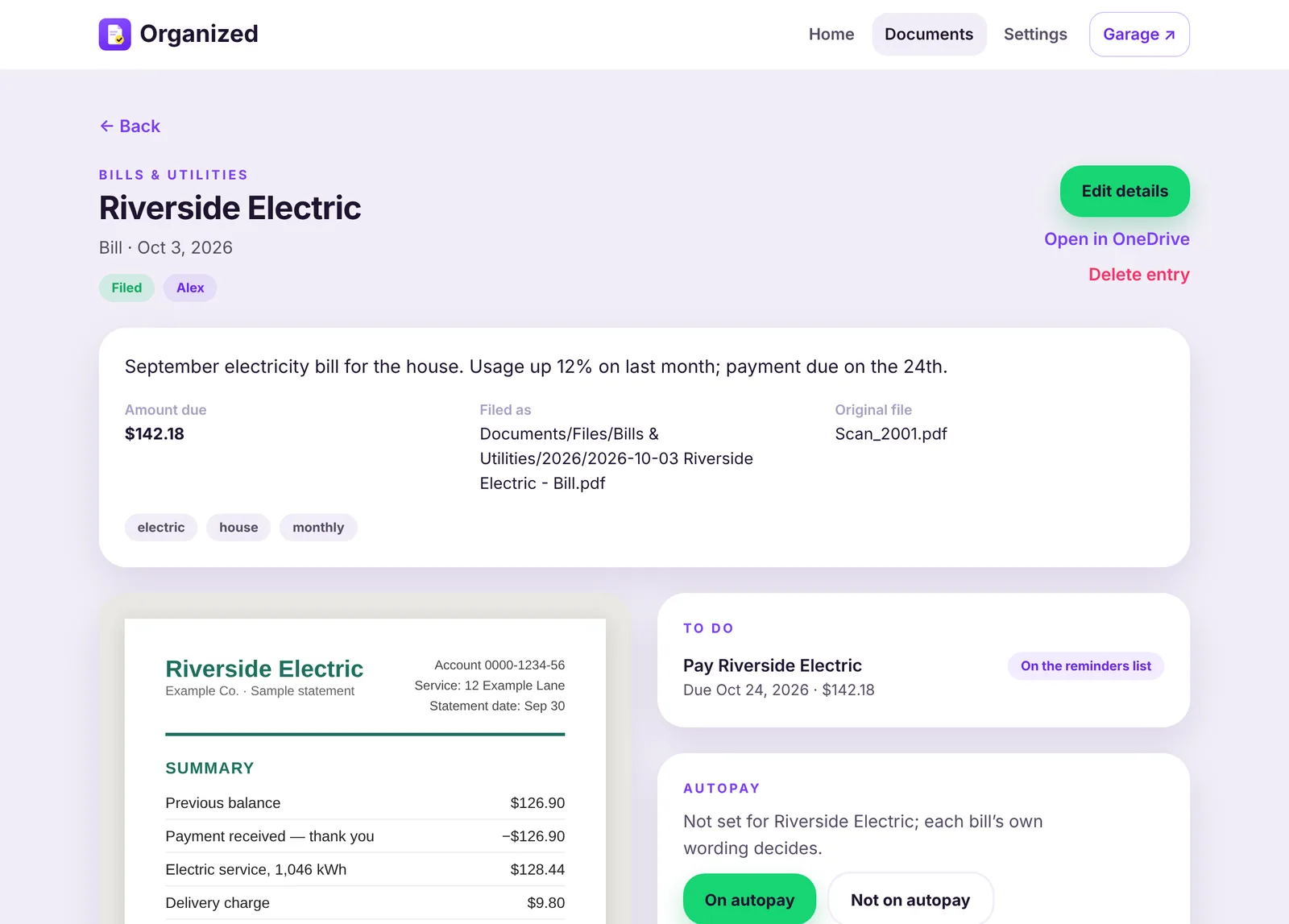
A bill with a due date becomes a to-do with the amount and the deadline. If that company is set up on autopay, Organized notes it and stays quiet — no nagging about bills that pay themselves.
Anything unclear comes to you
If the AI isn't sure — a handwritten note, a letter that could be for anyone, a photo too blurry to read — it doesn't guess. It puts the document under Needs attention, says why, and lets a person decide.
Search everything, instantly
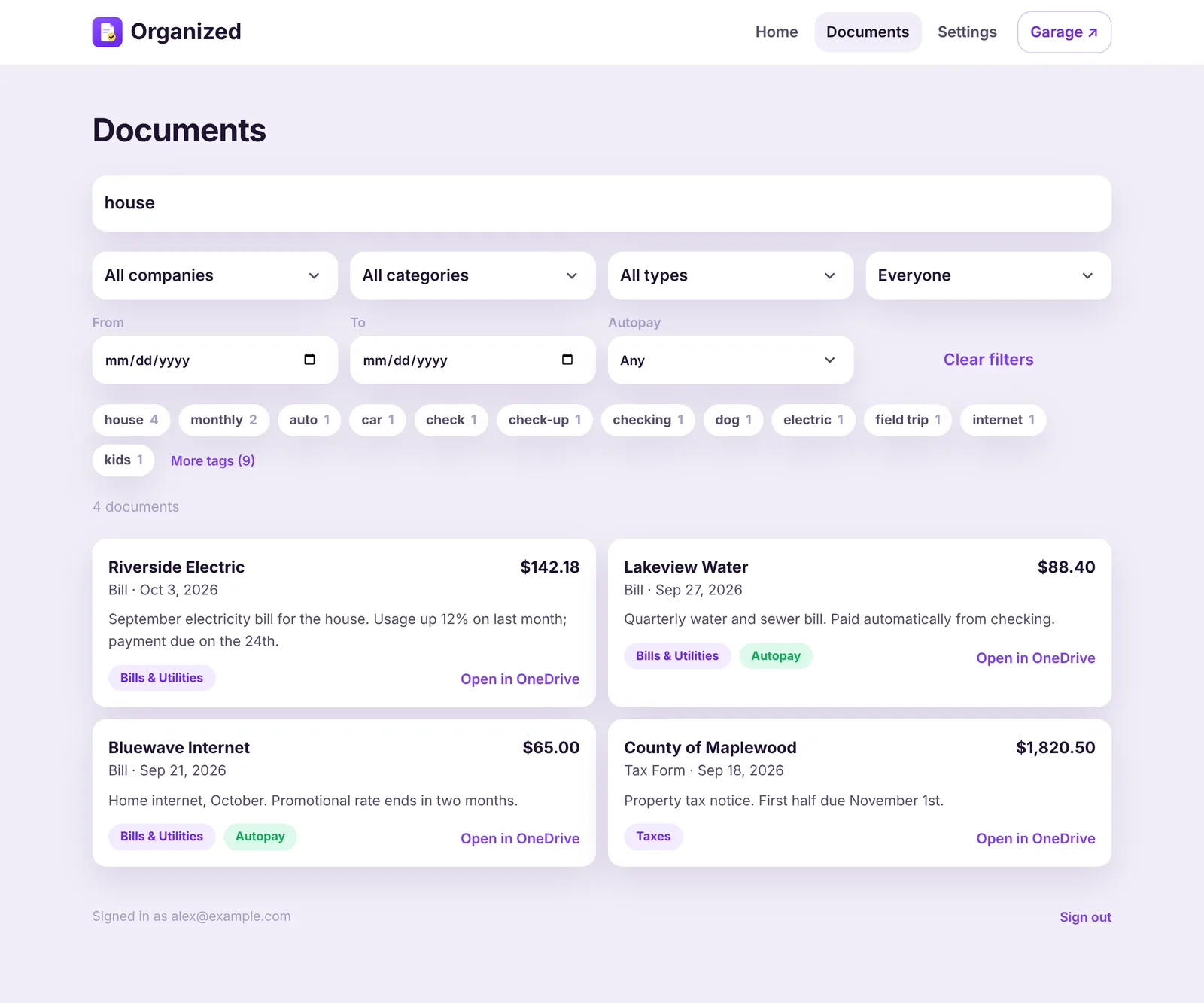
Every document is searchable by company, keyword, category, person, date or whether it's on autopay. "What was the water bill last spring?" is a search, not an afternoon.
The real app, with an example household
These are screenshots of the actual Organized app, filled with a made-up family, made-up companies and a sample bill, so none of our own paperwork is on show.
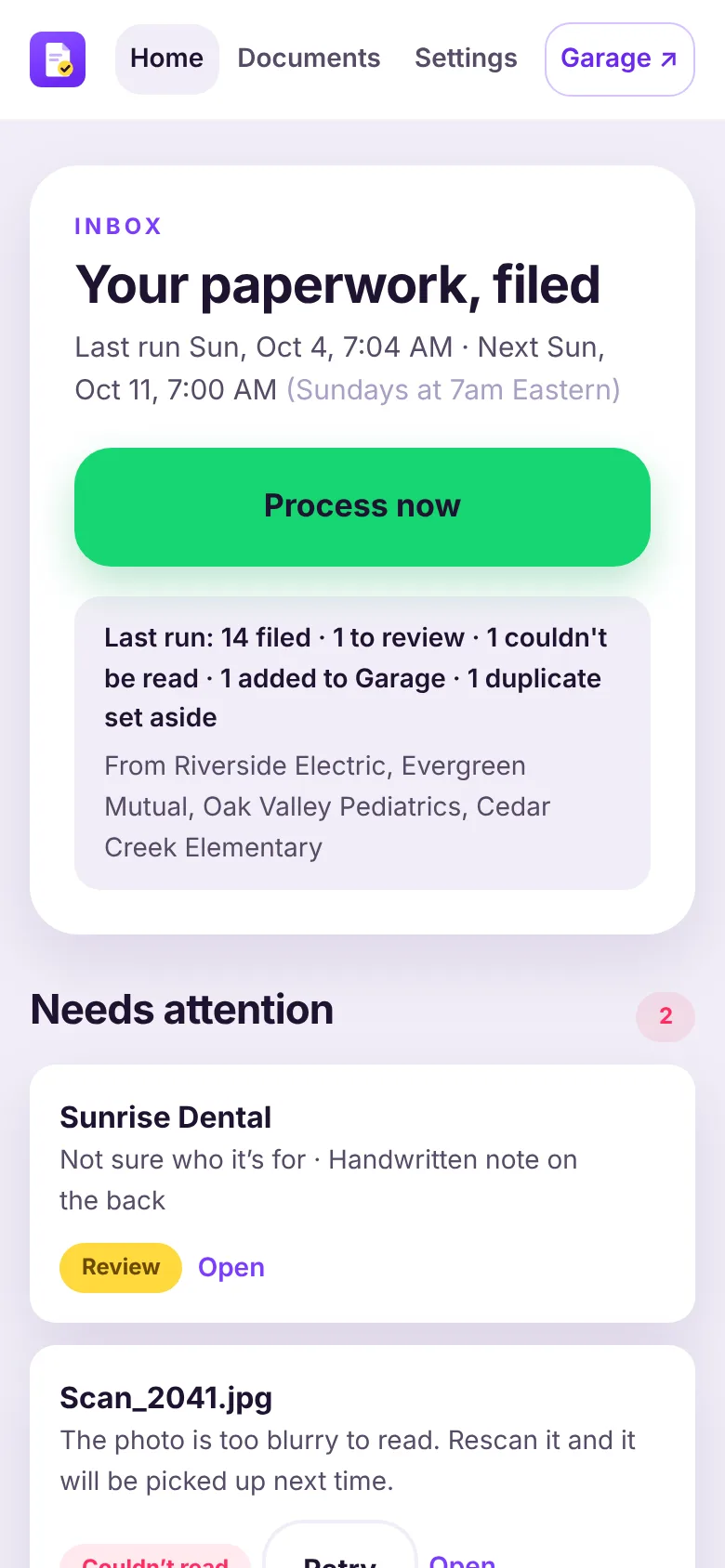
14 filed — electric bill, insurance renewal, a check-up summary, a school permission slip, a bank statement and more.
1 to review — a letter with a refund check, where it wasn't clear who it was for.
1 couldn't be read — a blurry photo, with a note to rescan it.
1 sent to Garage — an oil change receipt, added to the right car automatically.
Built for two people, built properly
Organized was built with Claude Code over a couple of days. It's small — it serves one household — but it's built the way a product for anyone's financial paperwork should be.
Your files stay yours. Documents live in the household's own cloud storage, in ordinary folders. If the app disappeared tomorrow, everything would still be there, neatly named.
Locked to the household. Only approved people can sign in, the website can only read, and every change goes through a server that checks who's asking first.
Cheap where it can be. If a scan already contains text, that text is used as-is and the AI is only asked for the details — the expensive reading is saved for photos and image-only scans.
When in doubt, ask. A wrong guess on a bill is worse than a question, so anything uncertain goes to a person rather than into a folder.
The paperwork was never hard. It just needed to be somebody's job — so we gave it to software.
Got a problem that needs to turn?
Organized started as one household's pile of mail. If your business has a pile of its own, we'd like to hear about it.
Start a project Next: how Garage keeps four cars on schedule