39 finished pages, every one of them living in a camera roll between a grocery list and a parking spot.
Someone in our house fills sketchbooks: dense, patterned, hours-per-page work in marker and gel pen. Every finished page got photographed. And then it disappeared, because a camera roll is where photos go to be scrolled past.
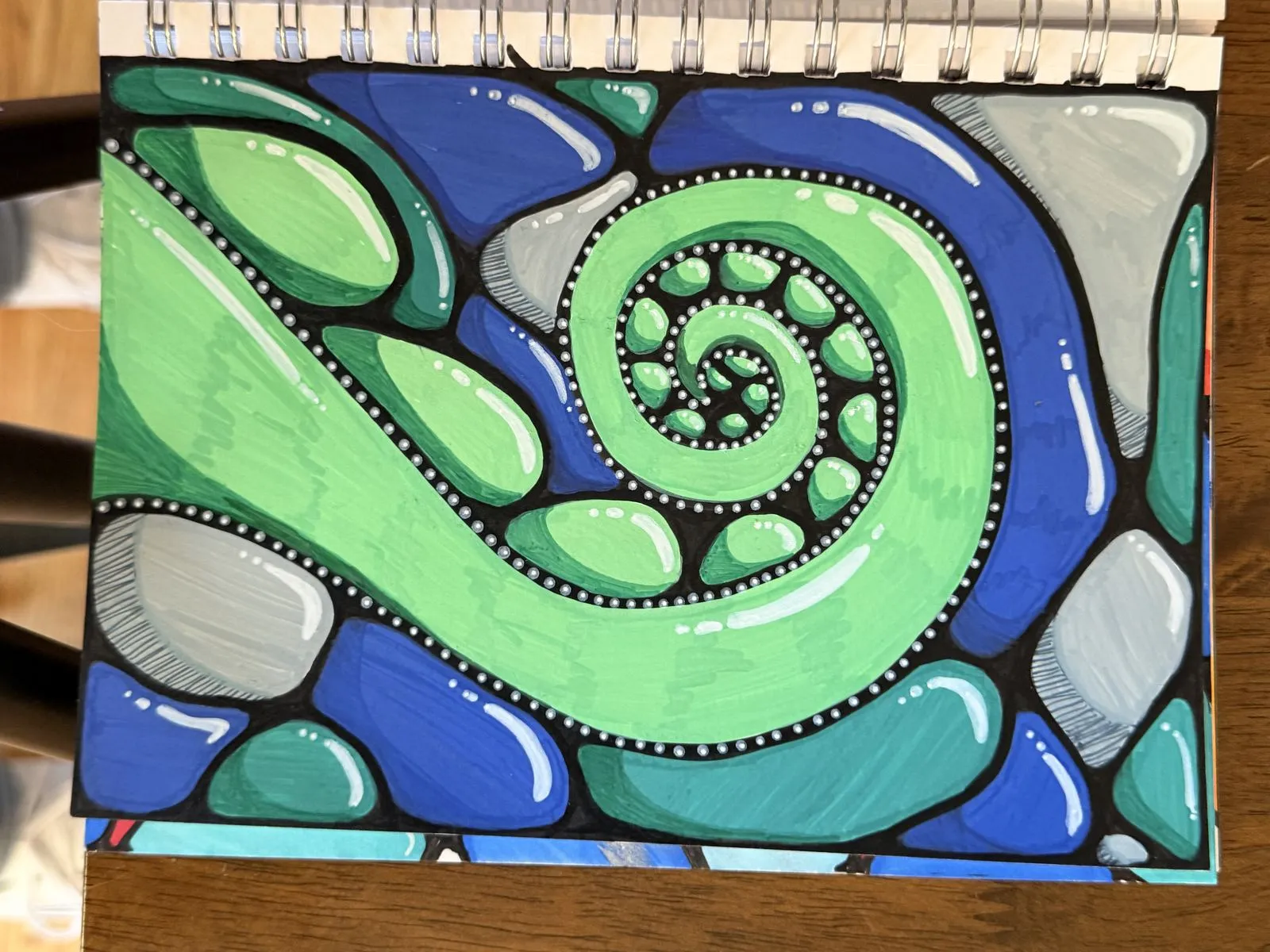
The photos weren't good to look at, either: a page shot from above at a slight angle, sideways, with the spiral binding and half the desk in frame. What the pages deserved was a wall: every page, straight and upright, newest first, nothing else in the picture.
Why a camera roll isn't a gallery
Buried in everything else
A page from months ago sits between screenshots and receipts. Nobody scrolls back that far, so the old pages stop being seen at all.
A photo of paper
Tilted, sideways, desk in the corner, spiral rings along one edge. The drawing is in there, but it's not what you see first.
Sharing one means texting one
Send a photo to family and that's all they get: one picture in a thread, with no way to see the rest of the sketchbook.
What My Doodles does
My Doodles is a web gallery that fills itself. The only job left for a person is taking the photo.
Take the photo, drop it in a folder
New photos go into a shared OneDrive folder from a phone. We tried an iCloud shared album first, but Apple now asks every visitor for an email and a code before showing one, which no automatic process can answer.
The page finds itself
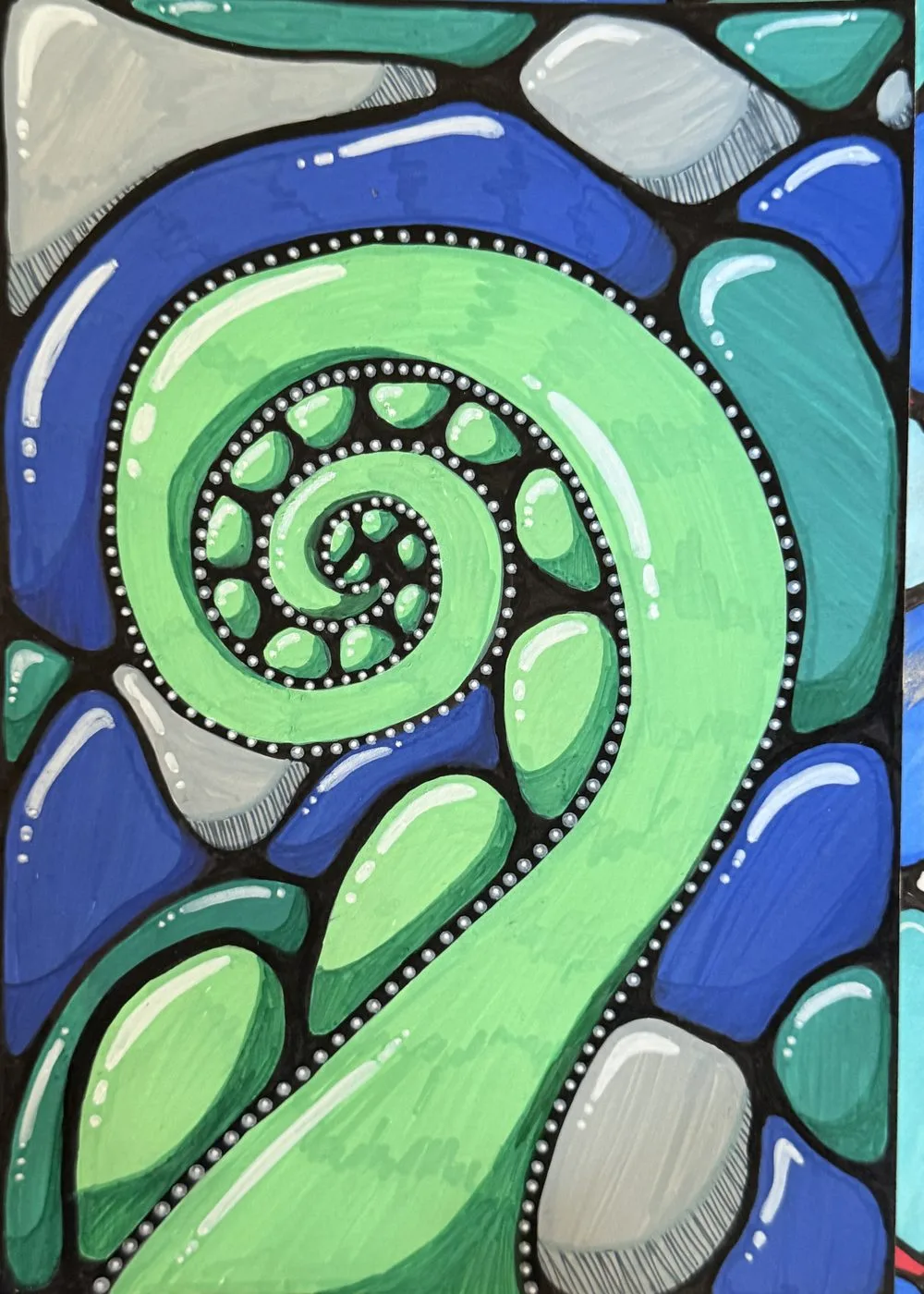
Every 4 hours the gallery checks the folder. For each new photo it finds the page's four corners, flattens the angle out, stands it upright and trims the edge. It can tell a sketchbook page from a loose sheet by looking for the evenly spaced row of spiral rings. When it finds punch holes instead, it trims those too.
A black wall, newest first
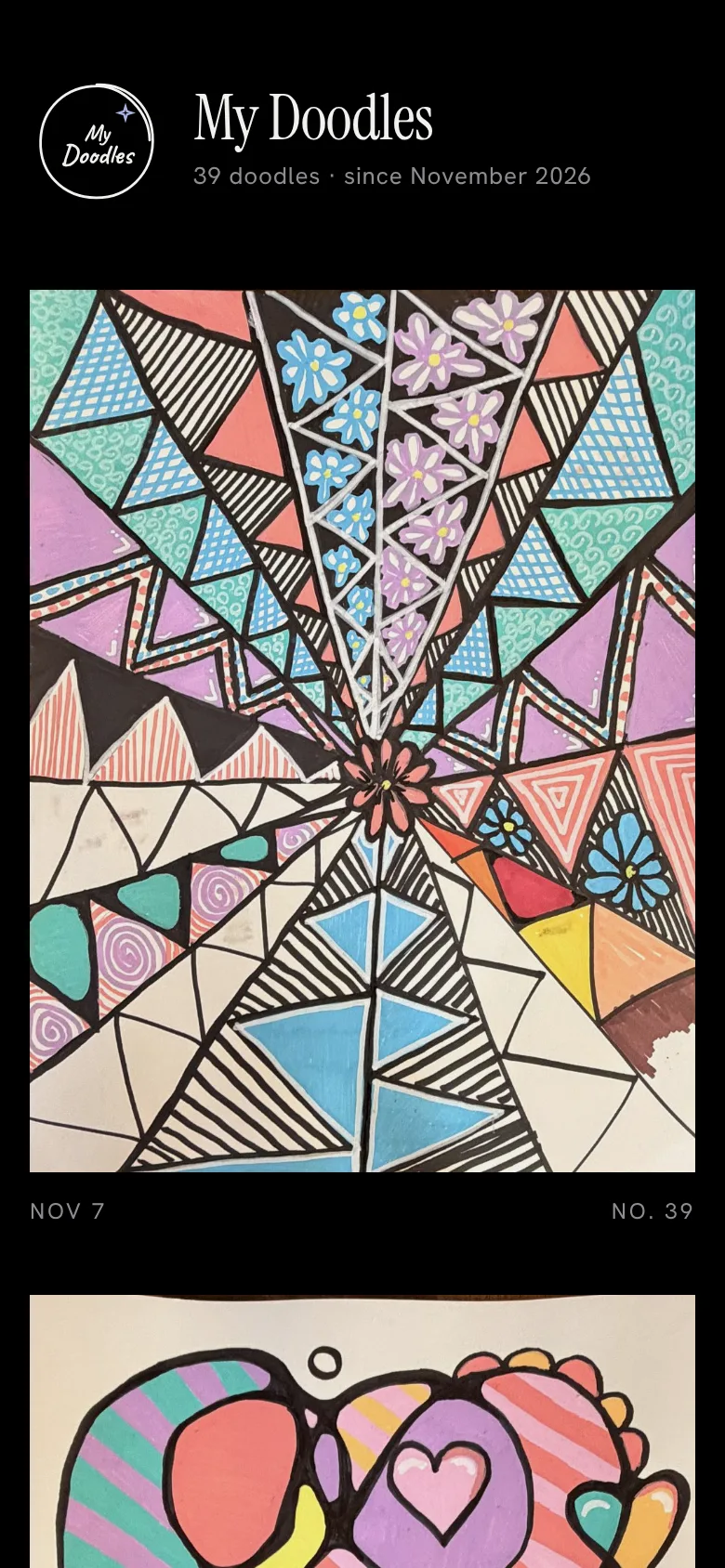
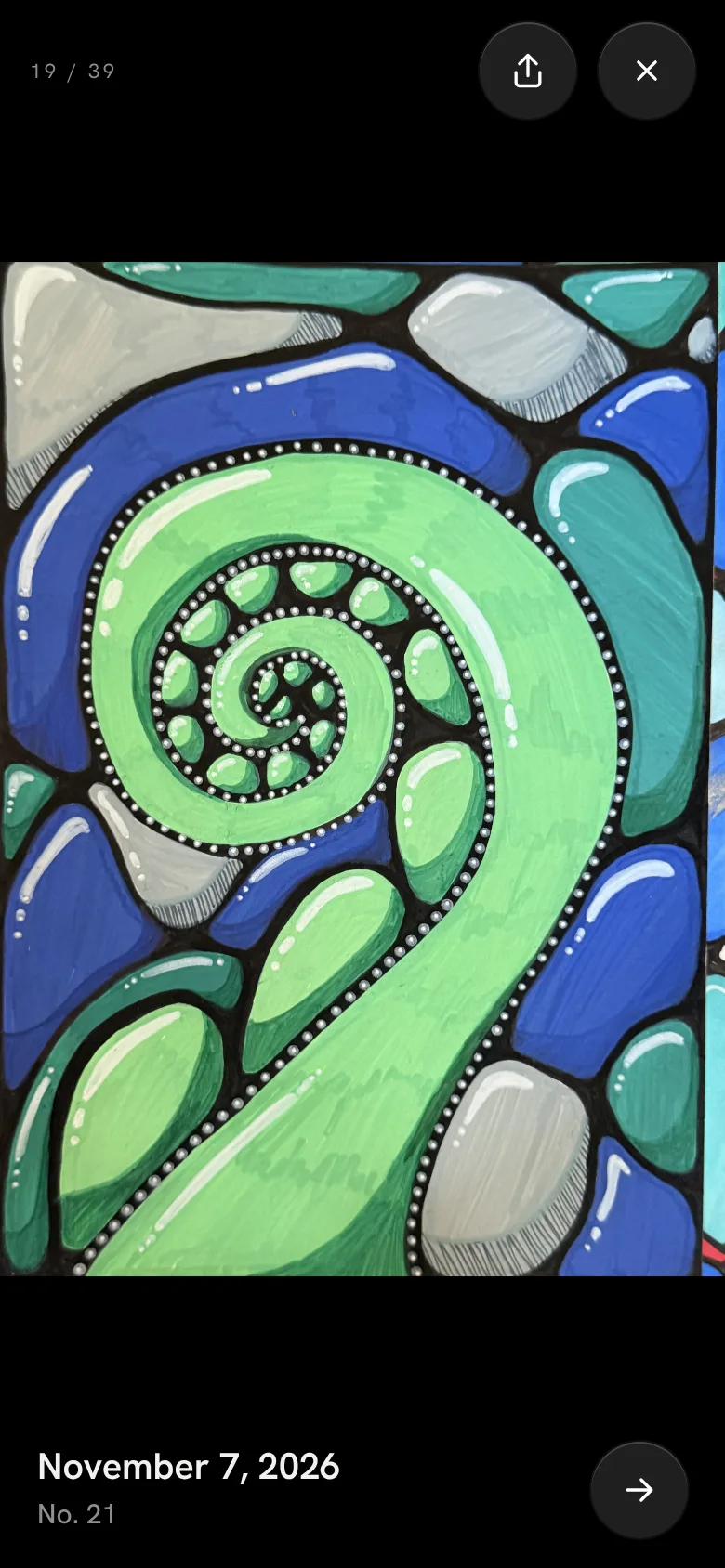
Each page hangs in its own shape on black, with nothing competing with the colour. Tap one and it opens alone, full screen; swipe for the next, pull down to go back to the wall.
Share one page and the rest come with it
The share button sends a link to just that page. The message shows the drawing itself as its preview, the link opens straight onto it, and closing it leaves the person on the wall with every other page.
A small admin page for the rest
Sign in to hide a page, delete one (with undo), or fix a crop by dragging four dots onto the page's corners, with a magnifier under your finger. "Publish now" runs the import straight away instead of waiting for the next check.
From a photo on the desk to a page on the wall
The doodles are the whole point of this one, so these are the real gallery and the real pages.
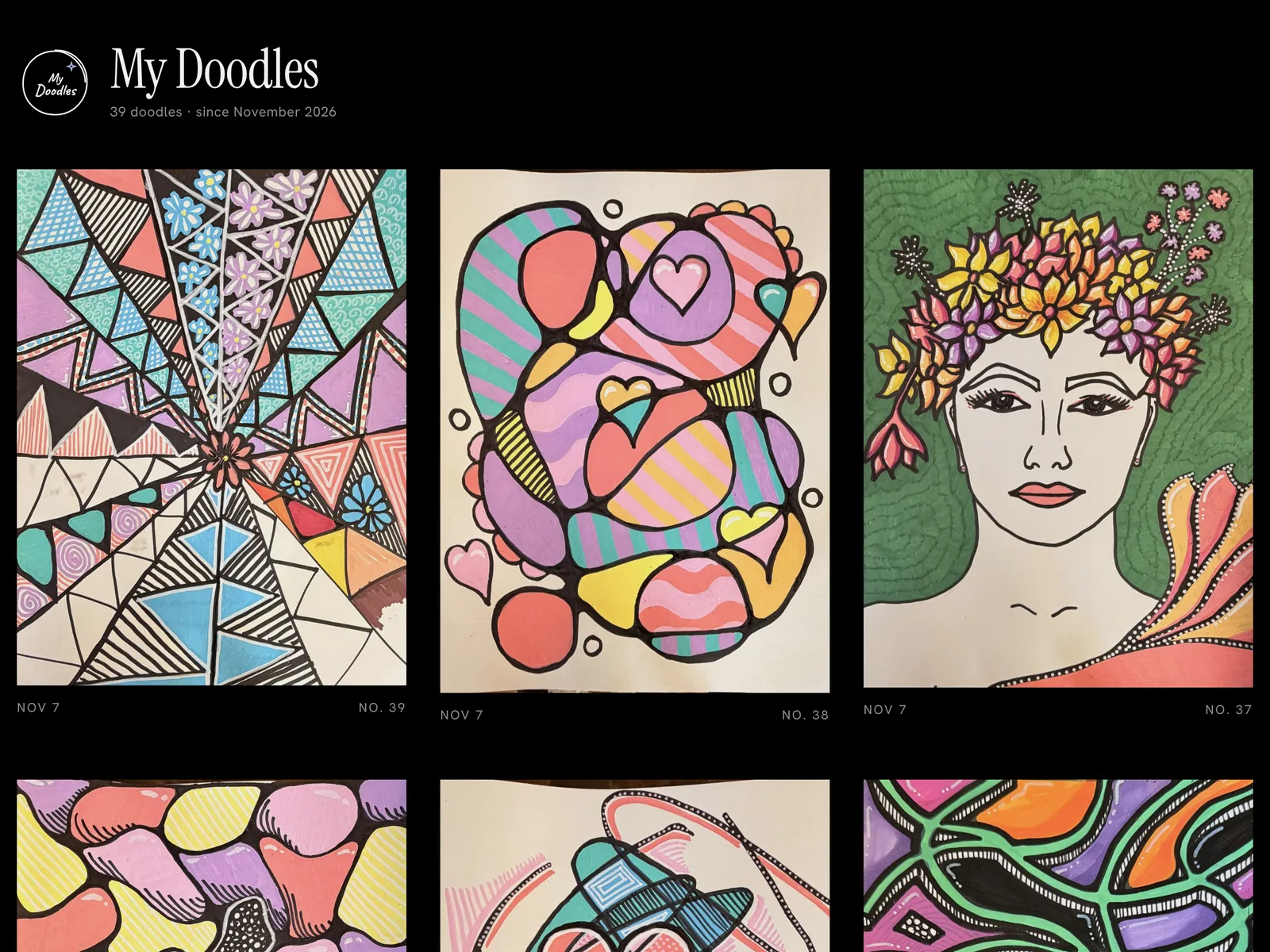
From a shared folder to a gallery in a day
My Doodles started with an approved design for the wall and a folder of photos. Claude Code built everything behind it: the page-finding, the automatic import, the admin page and the sharing, each change reviewed and previewed before it went live.
Automatic first, a person second. The import got all four corners exactly where a person put them on 24 of 39 pages, and told sketchbook pages from loose sheets on all 39. The near-misses aren't worth hours of tuning: the admin page flags the ones it's unsure of, and a fix is four dots and a tap.
Unlisted, not locked. Anyone with the link can look, so family needs no account; search engines are asked to stay away. Only the owners can sign in to change anything.
No app store. It's a web page that adds to the home screen with its own icon and opens full screen, so a change is live everywhere in a minute.
A sketchbook deserves a better home than the camera roll.
Got a problem that needs to turn?
My Doodles started as a pile of photos nobody looked at. If yours is a business pile, we build those too.
Start a project Next: how Garage keeps four cars on schedule